
Similar Audio Search
Find audio files that sound similar to a reference file or clip. This is perfect for finding variations and alternatives.
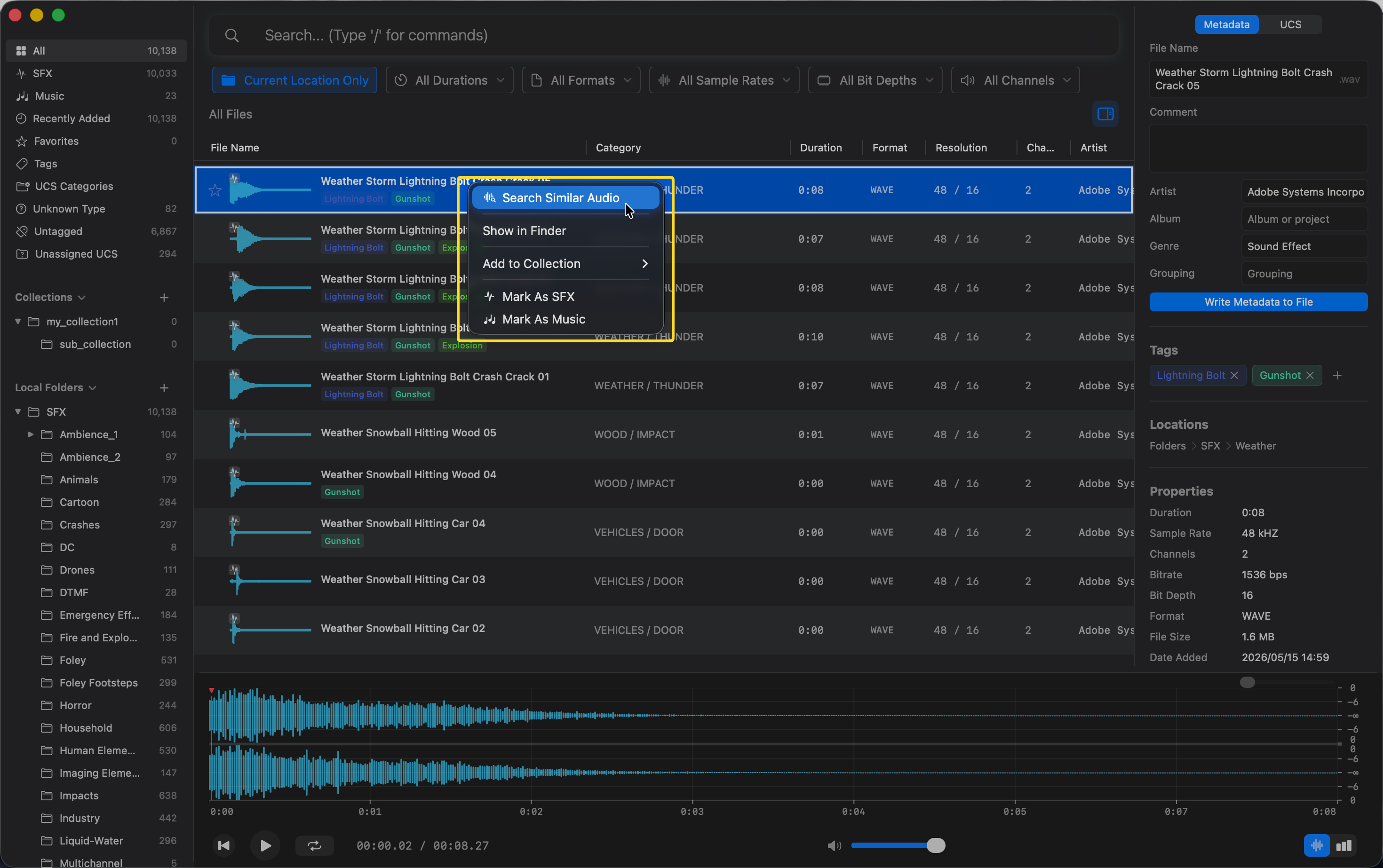
From a Whole File
- Right-click on any audio file in your library.
- Select “Search Similar Audio” from the context menu.
From an Audio Clip
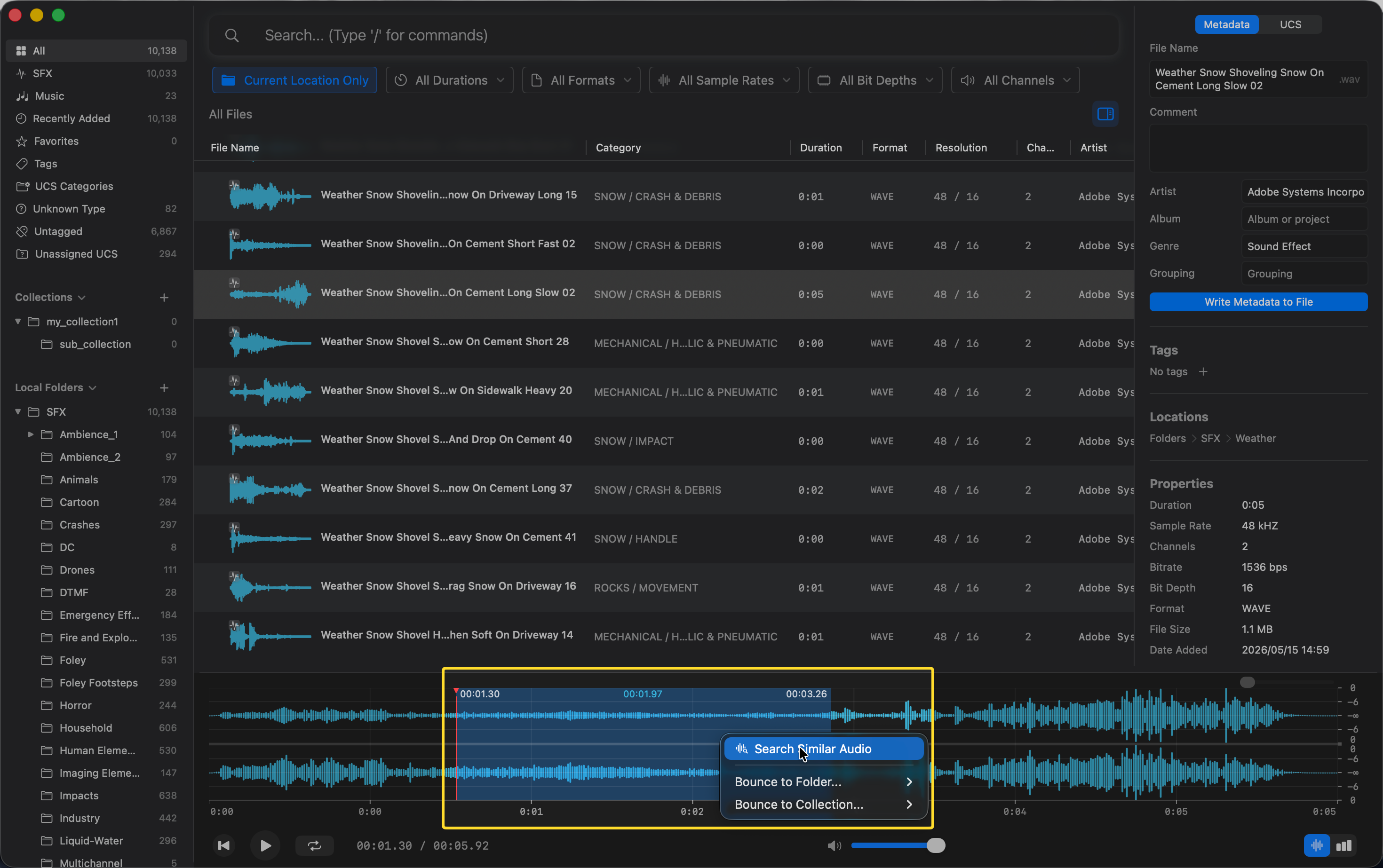
If you only want to find sounds similar to a specific part of an audio file:
- Make a selection on the waveform in the viewer.
- Right-click on the selected area.
- Select “Search Similar Audio”.
Results
After initiating a similar audio search:
- The search bar will automatically switch to the
/semanticcommand. - The results will be listed and ranked by their Score (similarity to the source audio).
Use Cases
- Finding variations: Locate different takes or variations of a sound
- Discovering alternatives: Find substitute sounds when your first choice doesn’t quite fit
- Building sound palettes: Group similar-sounding assets together
Tips
- The similarity search uses AI semantic analysis. It actually “listens” to the content of the audio.